Email opened
See a clear “Email opened” when someone really opens your mail — not a fake confirmed-read.
Honest open tracking for Gmail. A tip next to the subject shows when tracking is on. No theater. No fake reads.
Your next email. A clearer signal.
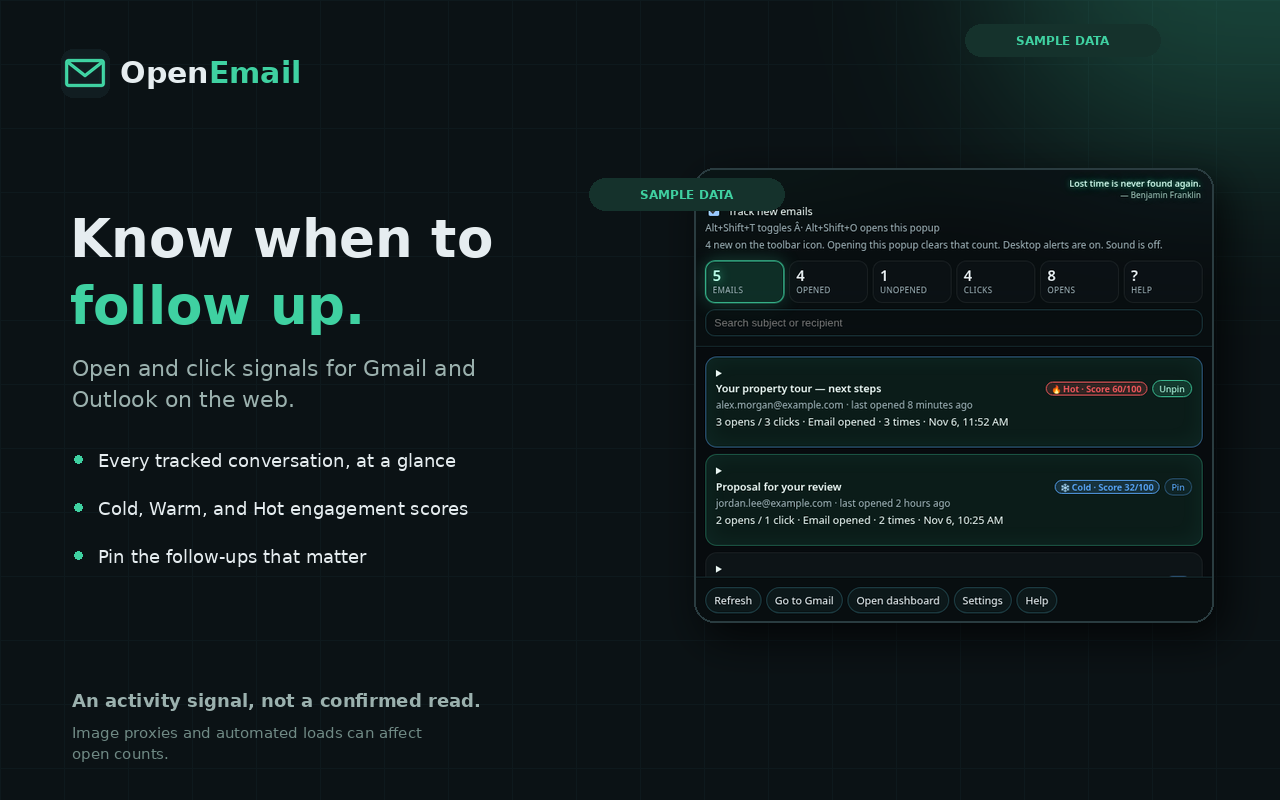
PRODUCT PREVIEW · FICTITIOUS SAMPLE DATA
Simple tools to know who engaged — without the theater.
See a clear “Email opened” when someone really opens your mail — not a fake confirmed-read.
When tracking is on, a small tip sits next to the subject: green check, your subject, a track mark, and an Inbox tag — so you can see tracking is on without leaving the mail UI.
Count opens and see the local date and time for each one.
Know when a link is clicked, with a privacy-friendly hop that doesn’t leak our host.
Works in Gmail and Outlook.com / Hotmail when you write mail in Chrome.
People who just opened show up warm or hot, then clear after you check — and come back on a new open.
Get a simple sense of mobile, desktop, or Mac — enough to know how they read.
IPs stay hidden unless you need them. Prefetch and scanners stay off your open count.
Open the extension popup and see your latest signals without digging through a heavy app.
Free covers honest opens. Pro adds clicks, location, alerts, and multi-mailbox when you need more.
Install, sign in, and start tracking. Marc-hosted backend — no server for you to run.
Straight answers. No jargon.
Yes. Use OpenEmail in Chrome while you write and send from Gmail on the web.
Yes — Outlook.com and Hotmail in Chrome are supported the same way.
That tip means tracking is on for the message. You’ll see a green checkmark, the subject, a blue track arrow, and an Inbox tag right in the mail UI — no need to leave the compose or thread list.
Yes for most people who just want to know when mail was opened. Stay on Free until you need clicks, location, alerts, or more than one mailbox — that’s when Pro ($24/year) makes sense.
Free gives you honest open tracking, times, warm/hot leads, and Gmail + Outlook in Chrome. Pro is $24/year and adds click tracking, IP & location when you need it, alerts, multi-mailbox, and extras for heavier use. Both plans use the same open signals — Pro just unlocks more around them.
On top of Free: click tracking, IP & location on request, alerts, and multi-mailbox — for $24/year. No fake caps; Pro is the paid plan when opens alone aren’t enough.
No. We filter prefetch and scanners so you get an honest “Email opened,” not noise.
Yes by default. Signals stay yours, and IPs stay hidden unless you choose to look.
Links go through a quiet hop that records the click without putting our host in the Referer.
Recent opens show as warm or hot so you know who to follow up with. After you view them, they clear — and return if they open again.
Install the Chrome extension, sign in, and send as usual. Opens show up in the popup.
Same honest opens on both. Pro unlocks extras when you need more than opens.
Free
$0
Pro
$24 /year
The OpenEmail identity